How to Troubleshoot Wi-Fi Issues in an EV Charging Station
Aug 29,2026
Blog
An EV charging station can join an access point and still remain offline to the charging-management system. That distinction prevents wasted site visits: a visible SSID proves only that a radio network exists, while a successful service path also needs authentication, an IP address, a route, DNS, correct time, an allowed encrypted connection, and a valid backend configuration.
Summary: Use one ordered EV charging station Wi-Fi troubleshooting sequence: define the outage, verify the local radio link, confirm DHCP and DNS, inspect captive-portal and firewall policy, validate TLS and the OCPP path, then review firmware, configuration and any cellular fallback. Change one controlled variable at a time. Do not factory-reset a station, weaken wireless security, disable certificate checks, or open broad firewall access merely to see whether the charger comes online.
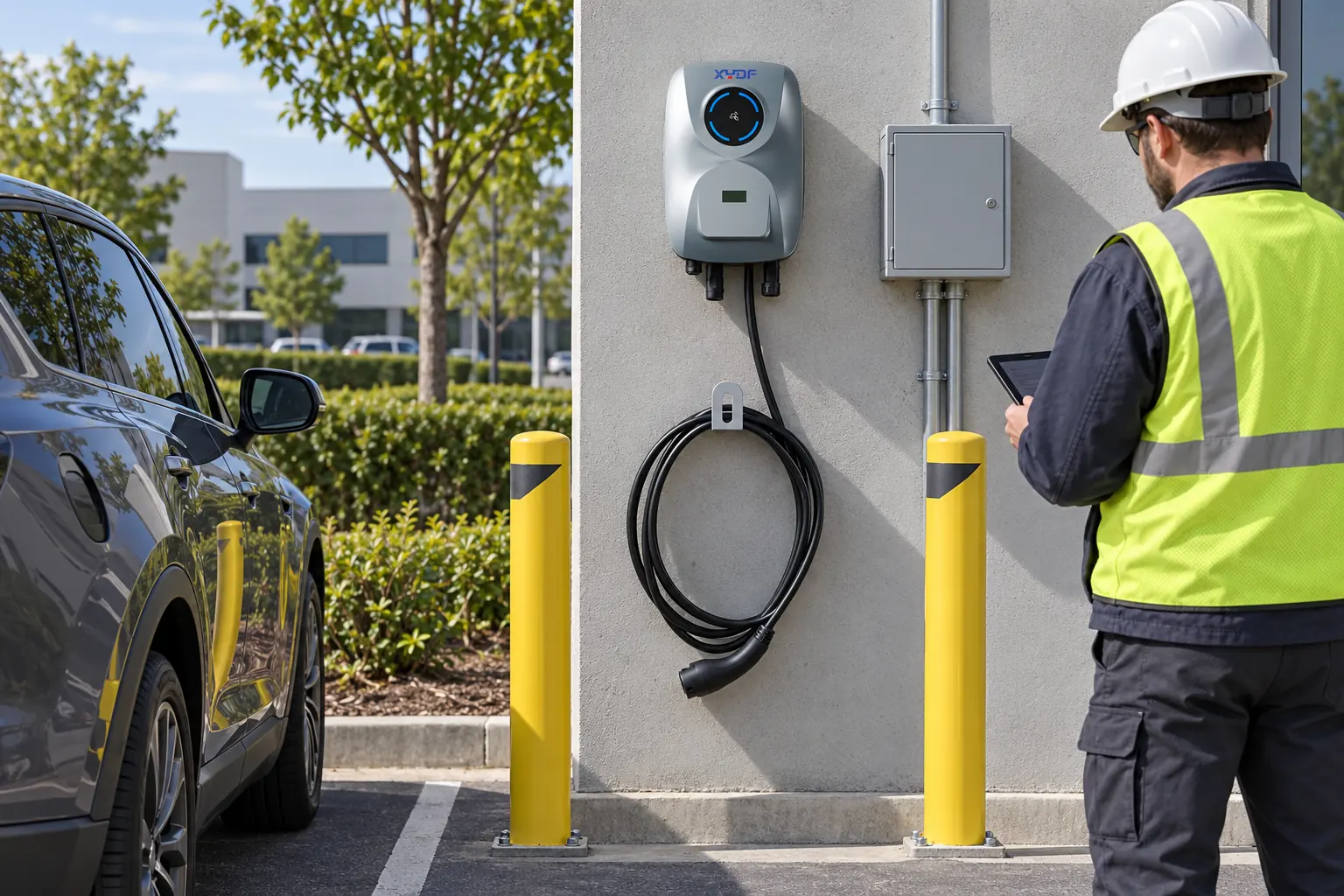
Parking structures should be tested from the charger location because walls, cabinets, vehicles and access-point placement affect the radio path.
What should you record before changing anything?
First separate a communications incident from an electrical or charging fault. Record whether the station has power, whether a vehicle can start or continue a session, what the local display or indicator shows, and what the operations platform last reported. Follow the manufacturer’s safety instructions and site lockout procedures for any electrical fault; network diagnosis is not permission to open an energized enclosure.
Build a short incident timeline with the affected station IDs, connectors, SSID or network segment, last-known-online time, recent router or firewall changes, firmware or configuration work, and whether other stations on the same path are affected. A cluster that drops after one network change points first to a shared dependency. One isolated station on an otherwise healthy segment points more strongly to local RF, credentials, device configuration or hardware.
Preserve the current configuration and relevant station, access-point, DHCP, DNS, firewall and backend logs before a reboot clears useful context. Compare timestamps only after confirming that the station and supporting systems have reasonable time synchronization. The goal at this stage is not to prove a cause; it is to decide which boundary to test next.
Observed pattern
Likely boundary to test first
Low-risk evidence
Escalate when
Several stations on one SSID disappear together
Access point, VLAN, DHCP, DNS, firewall or upstream service
Change window, controller events and last-online timestamps
The shared network owner must review policy or infrastructure
One station cannot see or join the intended SSID
Local RF, band, security mode, credentials or antenna path
Station join reason, access-point association log and survey at the enclosure
The supported radio configuration is unclear or physical access is required
Station associates but receives no usable address
DHCP, VLAN assignment or static addressing
Lease record, address, subnet, gateway and duplicate-address events
Addressing changes require network approval
Station has an address but cannot reach the backend
DNS, route, captive portal, firewall or TLS
Resolver result, policy log, time, certificate and endpoint checks
Rules, certificates or backend services must be changed
Network path works but the CSMS rejects the station
OCPP identity, URL, path, version, credentials or backend registration
Station and CSMS session logs with matching timestamps
Provisioning or backend ownership is outside the site team
How do you isolate the Wi-Fi and local network layers?
Protocol support should be separated from end-to-end interoperability. The buyer should list the charger, vehicle, network, identity, payment, monitoring, and update interfaces in scope; name the message or function that must work; and define how faults, offline operation, version changes, and security responsibilities are handled. A protocol name in a brochure does not prove that the complete stack works with the buyer’s back office. For the public planning context, see Open Charge Alliance OCPP protocol resources; the site-specific acceptance record still controls the final decision.
Can the charger join the intended radio network?
Check the station documentation before changing the access point. Confirm the supported band, security mode and onboarding method; 2.4 GHz Wi-Fi and 5 GHz Wi-Fi are different radio bands, so a station that supports only one cannot join an SSID available only on the other. If band steering or a shared SSID obscures the result, the network owner can use a controlled test SSID that preserves an approved security mode. Do not lower security for the whole site.
Use the access-point controller and station log to determine whether the station attempted to associate, failed authentication, or repeatedly roamed or disconnected. Then survey from the installed charger position rather than beside the router. Record the tool, access point, band, channel, observed signal and retry or disconnect pattern over a representative operating period. Avoid declaring a universal signal threshold: the station radio, enclosure, access point, interference and site layout all affect the usable margin.
NIST SP 800-153 treats access points, client devices and wireless switches as parts of one WLAN lifecycle and recommends secure configuration plus ongoing monitoring. It supports a managed review of the whole wireless path; it is not an EV-charger certification and does not replace the station manufacturer’s compatibility documentation.
Did the station receive a valid address, route and DNS service?
Association is only the radio step. Match the station’s documented interface identifier to the DHCP server or network-controller record, then verify that the assigned address belongs to the intended segment and has the expected subnet and default gateway. Look for an exhausted scope, rejected request, wrong VLAN, stale reservation or duplicate address. If the deployment uses a static address, compare the approved record rather than guessing a replacement.
Next, check whether the backend hostname resolves through the DNS service available to the charger’s segment. Test from an authorized diagnostic point on the same network path when the station has no local diagnostic command. A successful lookup from an office laptop on another VLAN does not prove that the charger can use the same resolver. Likewise, a failed ping is not conclusive because many services block ICMP; use DHCP, resolver, route and firewall records together.
How do you separate captive-portal, firewall and TLS failures?
Is a captive portal blocking a headless device?
A guest network may issue an address but restrict wider access until a person accepts terms or signs in through a browser. RFC 8952 explains that captive portals commonly depend on a user-facing web flow and that devices without a user interface do not automatically gain unrestricted access. Unless the charger documentation explicitly supports the site’s portal method, place it on an approved device network whose access policy does not depend on an interactive browser.
Do not enter site credentials through an unexpected redirect or try to bypass the portal from a personal hotspot. Ask the network team to confirm the intended device onboarding method and inspect portal or enforcement logs for the charger’s identity. DNS or HTTP interception can also make a portal look like a backend or certificate failure, so record redirects and resolver responses before changing the station.
Does policy allow the required encrypted outbound path?
Review the station and backend documentation for the exact destination hostname, transport, port and certificate requirements. The network team should compare those requirements with outbound firewall, proxy, DNS-filtering and client-isolation logs. Prefer the narrow required destinations and services; a temporary allow-all rule creates security exposure and weakens the diagnosis because it does not identify which control caused the failure.
If the charger reports a TLS or certificate error, check its clock, configured hostname, trusted certificate chain, certificate validity and any approved proxy behavior. NIST SP 800-52 Rev. 2 describes TLS configuration and certificate considerations; it does not justify suppressing validation. An expired or untrusted certificate, incorrect hostname, or badly wrong device time belongs with the charger, backend or certificate owner, not a trial-and-error firewall change.
Can the charger establish the expected OCPP session?
The Open Charge Alliance defines OCPP as the communication protocol between a charging station and a charging-station management system (CSMS). A working internet path therefore does not prove OCPP connectivity. Compare the configured WebSocket scheme, backend hostname, port, path, charging-station identity, protocol version and security profile with the approved deployment record. OCA notes that OCPP 1.6 and OCPP 2.0.1 are not compatible, so both endpoints must be configured for a supported match.
Correlate the charger and CSMS logs: determine whether the connection reached the server, whether TLS completed, whether the server recognized the identity, and what the first protocol response reported. The station’s last heartbeat or status message can help locate the break, but message availability depends on the implemented OCPP version and configuration. The related guide to OCPP and smart-charger integration explains why interoperability must be verified with the selected backend rather than inferred from an OCPP label.
How should you recover service without losing the cause?
When should credentials, configuration or firmware change?
Re-enter network credentials only through the manufacturer-approved commissioning method and only after the network owner confirms the SSID and policy. Treat credentials as secrets; do not place them in tickets, screenshots or exported logs. If reprovisioning is required, record the current settings and station identity first, obtain an approved maintenance window, and verify that the station returns to the same intended network and backend.
Compare the installed firmware with the supplier’s approved release notes and compatibility guidance. A firmware update may change radio drivers, certificate stores, security profiles or configuration handling, but updating during an unexplained outage can erase the distinction between root cause and recovery action. Use the approved package and rollback or support route; do not install an unverified image or interrupt power during an update.
A factory reset is a last controlled recovery step, not a diagnostic shortcut. It may remove Wi-Fi credentials, backend identity, certificates, metering settings or local authorization data. Escalate to the supplier or authorized service party when the effect of a reset is not documented, remote access is unavailable, or the incident touches payment, transaction or security records.
How should Ethernet or cellular failover be tested?
A second path helps only if its ownership, configuration and operating behavior are known. For Ethernet, confirm the approved port, VLAN and addressing plan. For cellular, confirm that the selected station configuration actually supports the modem or gateway, then have the responsible party verify SIM status, APN configuration, carrier service and local coverage. Do not assume that a station will switch paths automatically or preserve every transaction during an outage.
Run a planned failover and failback check without interrupting an active charging session unless the approved test procedure explicitly covers that condition. Verify which interface becomes active, whether the CSMS sees the same station identity, whether buffered records reconcile, and whether alarms clear after the primary path returns. For higher-throughput or time-sensitive sites using DC fast charging equipment, define the network owner and escalation route before commissioning.
Recovery action
Use it when
Verify before closure
Owner or boundary
Correct access-point or VLAN policy
Multiple stations share the same confirmed network fault
Association, address assignment, DNS and backend session
Site IT or managed-network provider
Reprovision one station
Approved credentials or endpoint configuration is stale
Identity, secure connection, normal status and a monitored test
Authorized installer or service engineer
Apply approved firmware
Supplier release notes match the verified defect or compatibility need
Version, configuration retention, network recovery and rollback record
Supplier-approved maintenance process
Use Ethernet or cellular backup
The design includes an independent, commissioned path
Failover, failback, alarms and record reconciliation
Network, carrier and CSMS owners
Escalate without further change
Safety, certificates, payment data, unknown reset effects or repeated failure are involved
Timeline, logs, configuration baseline and change history are attached
Responsible specialist or equipment supplier
After recovery, keep the incident open until monitoring shows a stable connection through a representative operating period and the team completes an authorized test session. Track shared network loss separately from charger hardware faults. The guide to charging-station reliability and uptime monitoring provides a broader operating framework.
Close an incident only after the radio, local network, secure backend path and operational reporting have all been verified.
Where do standards and security guidance apply?
NIST SP 800-153 is WLAN security and monitoring guidance. It helps network teams govern access points and clients, but it is not a charger approval or a prescribed radio threshold.
NIST SP 800-52 Rev. 2 addresses TLS selection and configuration for U.S. federal systems. Use it as security guidance where relevant, while following the charger, CSMS and destination-market requirements.
OCPP is an application protocol, not proof that every charger, CSMS, version and security profile will interoperate. OCA’s 2026 OCPP 1.6 Security Whitepaper covers secure connection setup, security logging and secure firmware updates for standardized security enhancements on OCPP 1.6-J.
IEC 61851 addresses conductive EV charging-system requirements, while IEC 62196 addresses plugs, socket-outlets, vehicle connectors and inlets. Those scopes matter to the charging system but do not diagnose Wi-Fi; electrical faults remain within the responsible electrical and product-safety process.
What questions do operations teams ask most often?
Why isn’t my EV charger connecting to my Wi-Fi?
First determine whether it cannot see the SSID, cannot authenticate, receives no address, cannot resolve or route to the backend, fails TLS, or is rejected by the CSMS. If several chargers failed together, review shared network changes before resetting any station. If only one failed, compare its join, DHCP and configuration records with a working unit of the same approved configuration.
Can an EV charger connect to Wi-Fi but still show offline?
Yes. Wi-Fi association proves only the local radio connection; the charger may still lack a valid address, DNS response, route, firewall permission, trusted TLS session or accepted backend identity. Use logs from each boundary to find the first failed step instead of treating the portal’s offline flag as a radio diagnosis.
Why isn’t my Sync EV charger connecting to the Wi-Fi network?
Use the exact model’s official Sync Energy support documentation for onboarding, indicator and reset instructions. Confirm the charger’s power state, supported Wi-Fi configuration and app commissioning path, then stop and contact the installer or manufacturer if the documented sequence does not restore the connection.
How do I reset ChargePoint Wi-Fi?
Follow the model-specific official procedure; ChargePoint’s Home Flex troubleshooting page, for example, directs users to check local internet service and reconfigure Wi-Fi after an SSID, password or access-point change. Commercial operators should not apply a home-unit reset procedure to a different product: preserve settings and use the station owner or support route.
Will the charger keep charging if Wi-Fi fails?
The honest answer is product- and configuration-specific. Local authorization, schedules, payment, remote start, monitoring and transaction buffering may behave differently when the backend is unavailable. Confirm offline behavior in the approved station and CSMS documentation, then include it in commissioning and recovery tests rather than assuming uninterrupted service.
Frequently asked questions
How should a buyer verify EV charger interoperability claims?
Define the exact charger, vehicle, backend, identity, payment, monitoring, and firmware functions to be tested, then witness normal, offline, recovery, and version-mismatch cases. Record protocol edition, implemented profiles, security responsibilities, and the acceptance result. A protocol logo or a single successful demo is not end-to-end interoperability evidence.
A charger is back online only when the team has verified the complete service path and retained enough evidence to explain the failure. Diagnose from the radio outward, protect the configuration and credentials, make one approved change at a time, and close the incident after monitored recovery rather than after the first green indicator.
XYDF supports project teams comparing network, commissioning and documentation requirements across its EV charging equipment range. Contact the team to confirm the selected configuration against the site network and CSMS before ordering. For AC projects, start with the commercial AC EV charger range and provide the destination market, site topology, backend, preferred communications path and recovery requirements.
We use cookies to keep this website working and, with your permission, to measure how visitors use our EV charging site. See our Privacy Policy for details.
 Xinya Dongfang Electricity Technology Co., Ltd.