Quels alarmes de chargeurs de véhicules électriques devraient les équipes de maintenance surveiller en premier ?
Le 7 août 2026
Blog
Lorsque plusieurs chargeurs ne sont pas disponibles et que les sessions commencent à échouer, la priorité n'est pas donnée à l'alarme la plus technique. Les équipes devraient d'abord évaluer l'événement qui présente le plus grand risque pour la sécurité, le service ou les revenus, puis classer l'incident, conserver les preuves diagnostiques et contrôler les actions de reprise avant de rétablir le service.
Résumé : Efficients Triangulation d’alarme à distance pour les chargeurs de véhicules électriques distingue le risque de sécurité, la perte de service et l’impact sur les revenus ; distingue une station hors ligne d’un connecteur défectueux et d’une session non réussie ; et capture un ensemble minimum d’éléments de preuve avant tout redémarrage. Les versions OCPP 1.6, 2.0.1 et 2.1 ne fournissent pas une surface de diagnostic identique ; les acheteurs doivent donc vérifier la version exacte du protocole, les messages implémentés, les extensions de fournisseurs, les permissions et le workflow de rétention des journaux plutôt que d’accepter “ compatible OCPP ” comme réponse complète.
Les alarmes de diagnostic à distance des chargeurs EV devraient aider l’équipe d’exploitation à décider quoi faire ensuite, et non pas simplement à dresser une longue liste des problèmes. Commencez par les événements qui affectent la disponibilité, l’état lié à la sécurité, la connectivité et l’achèvement de la session. Pour chaque événement, conservez l’état du chargeur, les codes standard et spécifiques au fabricant, le timestamp, le connecteur, le contexte de la session et l’historique récent afin de décider si le problème doit être résolu de manière remota ou si un support qualifié doit être envoyé.
Partie 1. Qu’est-ce que la diagnostique à distance peut révéler avant une visite sur le terrain ?
Le diagnostic à distance combine la télémétrie du chargeur, les messages d’état, les informations d’erreur, les données de session et l’historique des événements. Il peut indiquer que le connecteur a changé d’état, que les communications ont été perdues, qu’une session a été interrompue de manière inattendue ou que la puissance délivrée diffère d’un mode de fonctionnement attendu. Il ne peut en soi prouver toutes les causes physiques : des câbles endommagés, des câbles de connexion sur site, l’intrusion d’eau ou des problèmes mécaniques peuvent nécessiter une inspection.
La Documentation de l’uptime d’Open Charge Alliance Il décrit comment un OCPP StatusNotification inclut des informations sur le statut et le code d’erreur, tandis que des champs facultatifs du fournisseur peuvent fournir des détails spécifiques au fabricant. C’est pourquoi un tableau de bord utile conserve à la fois le signal standard et le contexte du fournisseur brut, au lieu de les remplacer par un “ erreur de chargeur ” générique.”
Les données à distance permettent de prendre une décision, et non une inspection physique. Une première analyse pratique pose quatre questions : y a-t-il un avertissement de sécurité ? Quel est le nombre de connecteurs ou de sites concernés ? Le service de recharge ou le départ prévu est-il bloqué ? Les revenus sont-ils en danger parce que les utilisateurs ne peuvent pas démarrer ou terminer les sessions payantes ? Les réponses déterminent l’ordre de priorité des réponses, même lorsque deux événements partagent le même code technique.
Considérez “ en ligne ” une observation de la communication, et non une preuve de la capacité de charge bout-en-bout. Une station peut échanger des signaux cardiaques pendant que le connecteur, la voie de paiement, le flux d’autorisation, l’échange de données entre le véhicule et le site, ou la voie d’alimentation du site empêchent une session réussie. Inversement, la perte de visibilité dans le back-office ne prouve pas en soi que toutes les fonctions de charge locales ont cessé de fonctionner.
Partie 2. Quels alarmes nécessitent une intervention immédiate ?
Prioriser les alarmes en fonction de l’impact sur l’utilisateur et le site, et non seulement en fonction de la qualité technique du code. Un seul événement lié à un connecteur peut avoir un impact minime dans un lieu à plusieurs baies, mais être urgent dans un dépôt où il affecte un départ prévu. Les signaux liés à la sécurité ou les défauts électriques devraient suivre la procédure d’escalade approuvée par le site et le fournisseur plutôt que d’utiliser une séquence de réinitialisation improvisée.
Une file d’attente défendable impact sur la sécurité, le service et les revenus Dans cet ordre, il utilise ensuite l’étendue et la sensibilité temporelle pour séparer les événements au sein de chaque bande. L’impact sur la sécurité couvre les indications nécessitant une isolation ou une inspection qualifiée. L’impact sur le service mesure la capacité de charge perdue, la demande non satisfaite et la disponibilité d’un connecteur de remplacement. L’impact sur les revenus couvre les sessions payantes échouées, un actif commercial inaccessible ou des interruptions récurrentes, et non pas seulement la puissance nominale.
Priorité
Famille d'événements
Test d'impact
Action opérationnelle initiale
Urgent
État défectueux avec indication d’erreur électrique, de température, de connexion au sol ou interne
exposition potentielle à la sécurité ou isolement obligatoire
Retirer le produit de service si le processus approuvé le requiert ; conserver les preuves et faire passer l’affaire plus haut
Haut
chargeur ou connecteur indisponibles pendant la période de fonctionnement prévue
La capacité, le départ ou l'engagement envers le service public sont en jeu
confirmer l’étendue, l’état actuel et l’impact sur l’utilisateur ; créer un ticket avec une date limite
Haut
perte de communication provenant d’une unité précédemment saine
La visibilité est perdue sur un seul actif ou sur l’ensemble du site ; l’état du service local est inconnu
distinguer la perte de site/réseau de la défaillance du matériel ; vérifier l’historique des battements cardiaques et la connectivité du site
Moyen
début de session interrompu ou arrêt prématuré
interruption de l'activité d'un seul utilisateur ou perte répétée de ventes
comparer l’autorisation, l’état du connecteur, les détails du véhicule/de la session, et le schéma de répétition
Avis
anomalie de puissance délivrée ou code de fournisseur récurrent
Problème de performance sans perte de service confirmée
Comparez avec les limites de site, l’acceptation des véhicules, la température et les sessions historiques
Important : Un code d’erreur standard constitue un premier indice, mais ne constitue pas un diagnostic précis de la cause du problème. Des informations spécifiques au fabricant, les conditions du site et les procédures de sécurité approuvées restent nécessaires. Les prévisions de disponibilité d’Open Charge Alliance explique pourquoi le contexte de statut et d’erreur doit être conservé.
Les équipes devraient définir des règles de priorité avant l’incident, notamment qui possède chaque bande, l’objectif de réponse et la condition requise pour mettre à niveau un ticket. Un motif de session répétée échouée peut passer de la catégorie moyenne à la haute lorsque cela affecte plusieurs véhicules, une zone entière ou une fenêtre d’exploitation contractuelle ; il s’agit d’une règle d’escalade opérationnelle, et non d’un nouveau code d’erreur du chargeur.
Partie 3. Comment les équipes doivent-elles distinguer les événements non enregistrés, non conformes et non réussis lors de sessions ?
Ces États répondent à différentes questions. Un connecteur défectueux signale une condition d’erreur. Une condition hors ligne signifie que le système de gestion a perdu la communication ; cela ne prouve pas automatiquement que le chargeur soit physiquement inutilisable.
Une session ayant échoué signifie que l’opération de recharge n’a pas été terminée comme prévu. La cause peut être liée à l’autorisation, à la communication entre le véhicule et le chargeur, à la configuration, au connecteur, au chargeur ou au site.
L’Open Charge Alliance note que la station hors ligne peut encore permettre certaines activités, mais le système de gestion manque d’éléments de preuve de son état actuel alors que les messages ne sont pas échangés. Il convient donc de considérer le temps hors ligne comme un problème de visibilité et de documenter la manière dont le site définit la disponibilité.
Le glossaire des messages OCPP de ChargeLab Il pose les questions utiles concernant les opérateurs : l’unité est-elle en communication, pourquoi une session a-t-elle échoué et quelles sont les paramètres ou les messages qui ont précédé l’événement ? La réponse devrait être basée sur le journal de log, et non sur l’hypothèse que tout connecteur indisponible est une panne matérielle.
État opérationnel
Ce qui est connu
Minimum de corroboration
Évitez cette conclusion
Hors ligne
Le CSMS n'a pas actuellement de preuves de communication.
Heure de la dernière alerte cardiaque/message, état du réseau du site, autres stations du site, rapport local si disponible
Le chargeur est définitivement défectueux électriquement
Contre-indiqué
La station ou le connecteur a signalé un état d’erreur
code standard, code du fabricant, EVSE/connecteur concerné, événements précédents, fréquence
Le code générique identifie la composante défectueuse
Session échouée
Une tentative de recharge n'a pas démarré, n'a pas été poursuivie ou n'a pas été terminée comme prévu
résultat de l’autorisation, séquence des transactions, raison de l’arrêt si disponible, valeurs du compteur, contexte véhicule/connecteur
Le matériel du chargeur a causé l’incident.
Ne pas fusionner ces trois états dans une seule mesure de disponibilité sans une règle documentée. Une flotte peut communiquer mais ne peut pas mener à terme ses sessions, ou peut être temporairement hors ligne alors que la recharge locale demeure possible ; le calcul du niveau de service devrait indiquer ce qui est mesuré, dans quel cadre d’exploitation et comment les exclusions planifiées sont gérées.
Partie 4. Quels éléments de preuve sont associés à chaque alarme ?
Un ticket devrait permettre à la personne suivante de reproduire le parcours décisionnel. Recueillir les mêmes preuves de manière cohérente afin que des motifs récurrents puissent être identifiés sur les stations, les connecteurs, les versions du firmware ou les sites.
La preuves diagnostiques minimales Il faut conserver à la fois l’événement brut et son contexte opérationnel avant que tout appareil n’altere l’état. Notez la station, l’EVSE ou le connecteur, la version du protocole, les timestamps CSMS et du chargeur avec la zone horaire, la transition d’état, les codes standard et de l’équipement, les identifiants de transaction, la configuration pertinente, la version du firmware, l’historique des communications, l’impact sur l’utilisateur et toutes les actions déjà effectuées.
Plaque d'attestation
Pourquoi c'est important
Ne tirez pas de conclusion
Identifiant de la station et du connecteur
distingue une défaillance d’un niveau local d’une tendance générale du site
qu’un autre connecteur présente le même problème
transition de statut et timestamp
détermine la séquence et la durée des événements
La cause sous-jacente sans codes/logins
Code d’erreur OCPP et code du fournisseur
Conserve les détails de la norme et du fabricant
Ces codes génériques permettent de diagnostiquer un composant.
Historique des battements cardiaques et de la connectivité
distingue la perte de visibilité par rapport aux interruptions périodiques
Que l’unité en ligne soit entièrement fonctionnelle
contexte de démarrage/arrêt de session et énergie délivrée
indique des modèles d’utilisation de session non conformes ou anormaux
ce faible niveau de puissance est toujours un défaut du chargeur
limite de puissance configurée et contexte de l’événement sur le site
contribue à expliquer le contrôle de la vitesse
Que porter un couvre-chef est une faute
Version du protocole, du firmware et de la configuration
appuie sur la comparaison entre les différentes versions et les modifications récentes
que deux modèles présentent des diagnostics identiques
Commandes à distance, opérateur et résultat
crée un traceur d’audit reproductible
Que le signal d’alarme déclenché signifie que la cause première a été éliminée
Pour les flottes connectées, conservez les données nécessaires aux exigences contractuelles et de confidentialité, puis définissez qui peut accéder aux logs et qui peut envoyer des commandes à distance.
La conservation devrait être orientée par les politiques plutôt que définie par défaut comme illimitée. Conserver la séquence brute des messages, la référence au journal d’enregistrement des diagnostics, l’historique des tickets et le relevé d’audit des commandes pendant la période requise par le contrat de service, le processus de garantie, la politique d’incident et la loi applicable en matière de protection de la vie privée. Contrôler l’accès, synchroniser le temps des documents et exclure les données personnelles ou liées aux paiements d’une exportation générale de maintenance à moins que cela ne soit nécessaire et autorisé.
Partie 5. Quand la récupération à distance est-elle appropriée et quand une inspection sur place est-elle requise ?
Les actions à distance ne peuvent être effectuées que si elles sont compatibles avec le matériel, la procédure d’utilisation et les rôles d’accès. OCPP comprend des fonctions telles que la demande de messages, la diagnostique, le réinitialisation et l’ouverture du connecteur, mais leur disponibilité varie selon la version et la mise en œuvre. Un réinitialisation à distance permet de vérifier si une anomalie temporaire disparaît ; elle ne prouve pas que la panne récurrente a été résolue.
Demander Barrières de sécurité remises à zéro à distance Avant d’émettre un ordre : prendre des mesures de pré-réinitialisation ; vérifier qu’aucune condition de sécurité, thermique, de mise à la terre, d’intrusion d’eau, de dommages dus à des impacts ou d’autres conditions d’isolation n’est indiquée ; confirmer que l’ordre est autorisé pour ce modèle et l’état actuel de la session ; utiliser un rôle autorisé ; et définir les contrôles à effectuer après la réinitialisation ainsi que la fenêtre de rééchelonnement. Ne pas utiliser la réinitialisation pour effacer les seules preuves ou restaurer à plusieurs reprises le service sans escalade.
Utilisez un flux de travail contrôlé :
Confirmer l'alarme et conserver l'état précédent.
Vérifiez si l’événement est lié à la sécurité ou nécessite un isolement selon la procédure approuvée.
État de la révision, codes, connectivité et contexte de session.
Effectuez une action à distance autorisée uniquement lorsque la procédure le permet.
Vérifiez l’état après l’action et observez si cela se reproduit.
Élevez le niveau d’alerte avec le dossier de preuves lorsque l’événement persiste, se reproduit ou ne peut pas être évalué de manière sécurisée à distance.
Point décisif
L’action à distance peut être poursuivie lorsque
Arrêtez et escaladons lorsque
Écran de sécurité
La procédure approuvée qualifie l’événement comme remédiable à distance
il existe ou il est incertain s'il existe une indication de sécurité, électrique, thermique, de mise à la terre, environnementale ou physique
Evidences
Les informations relatives à l’état avant action, aux codes, au contexte et aux journaux sont conservées
Cette action détruirait le seul indice diagnostique
Autorisation
Le rôle d’opérateur, les instructions du fournisseur et le processus de changement permettent de commander
le commandement, l’implémentation du protocole ou l’effet de session active sont inconnus
Verification
Les communications, l’état du connecteur, la disponibilité et un contrôle fonctionnel autorisé peuvent être confirmés.
l’alarme persiste, réapparaît, migre vers un autre connecteur, ou l’installation ne peut pas être évaluée en toute sécurité
Vue d’ensemble des diagnostics d’Elinta Il sépare également les possibilités en matière de réseau, d’équipement, d’alimentation, de configuration et de dispositifs embarqués. Cette limite empêche que les alertes affichées sur le tableau de bord ne soient considérées comme une conclusion de réparation.
Un ticket d’escalade devrait indiquer le propriétaire et l’objectif de la réponse ; identifier le site, la station, le chargeur électrique ou le connecteur concerné, ainsi que la période d’exploitation touchée ; décrire les impacts sur la sécurité, le service et les revenus ; joindre le dossier de preuves ; énumérer les actions et les résultats à distance ; et indiquer la décision suivante requise auprès du fournisseur, du technicien sur le terrain, du fournisseur de réseau ou de l’électricien du site. Fermer le ticket uniquement après que l’état du service a été vérifié et que la résolution, la solution de contournement ou la condition de surveillance soient enregistrées.
Partie 6. Qu’est-ce que les acheteurs doivent demander pour un workflow d’alarme et de diagnostic ?
Les acheteurs devraient demander des preuves et des définitions de processus dans le cadre de l’évaluation du matériel et du logiciel. Un seul argument de surveillance à distance ne permet pas de déterminer quelles informations seront disponibles en cas de panne de session.
À compter du 17 septembre 2026, Vue d’ensemble du protocole Open Charge Alliance Les listes OCPP 1.6, OCPP 2.0.1 et OCPP 2.1 ; il est indiqué que OCPP 1.6 reste largement utilisé, que OCPP 2.1 a été publié en 2025 et que OCPP 1.6 et 2.0.1 ne sont pas compatibles. Cela rend la matrice des versions et des mises à jour exactes une exigence contractuelle, et non une simple note de bas de page.
Champ d'application du protocole
Surface diagnostique utile
Document à l’appui de la frontière
Implémentation de l'OCPP 1.6
Utilise généralement StatusNotification et Heartbeat pour indiquer l’état et la connectivité ; GetDiagnostics/DiagnosticsStatusNotification, Reset et UnlockConnector peuvent supporter une diagnostique ou une restauration contrôlées.
Le contenu des fichiers diagnostiques est défini par le fournisseur ; vérifiez que les messages, profils, champs, modes de sécurité et comportement du CSMS sont pris en charge.
Implémentation de OCPP 2.0.1
Ajoute un modèle de gestion des composants et des dispositifs et permet d’exposer des événements, la surveillance, le contexte des transactions ainsi que la récupération des journaux via les flux de messages de la version 2.x.
Ne mapez pas directement les champs ou commandes 1.6 ; vérifiez les blocs fonctionnels, le profil de sécurité, le modèle du périphérique et la mise en œuvre des journaux/événements
Implémentation de l’OCPP 2.1
s’appuie sur la logique d’application 2.0.1 et ajoute des fonctions pour les nouveaux cas d’utilisation de la recharge
Ne présumez pas que la version 2.1 soit compatible avec une version générique de 2.x ; vérifiez la version déclarée, l’implémentation, les preuves de test et l’interopérabilité du CSMS.
Les noms des messages ne constituent pas un catalogue d’alertes universel. OCPP transporte les états, les événements, les données de transaction, les commandes et les détails définis par la mise en œuvre dans le cadre d’une version particulière. Document de l’Open Charge Alliance sur les codes d’erreur minimum requis explique pourquoi une notification d’erreur plus riche et plus cohérente est nécessaire ; elle ne doit pas être interprétée comme une autorisation d’inventer un code d’alarme pour le fournisseur ou de conclure à l’absence d’une composante défectueuse à partir d’un état général.
L’acheteur doit demander
Pourquoi c'est important
Omission courante
Support de la version OCPP et mise en œuvre des messages
Définition de la surface de contrôle et de statut observables
Supposons que l’appellation OCPP signifie que toutes les fonctionnalités sont disponibles
documentation standard et code du fournisseur
permet une triage de première ligne significatif
Recevant uniquement une affiche d'erreur générique
Définitions de rythme cardiaque, hors ligne et disponibilité
rend les rapports du tableau de bord interprétables
La combinaison de la perte de communications avec un dysfonctionnement de l'équipement
Flux de travail pour les diagnostics-log et le firmware
Définition des éléments de preuve et de contrôle du changement
Pas de processus de rôle ou d'approbation
Droits de contrôle à distance et trace des opérations
protège le contrôle opérationnel
Permet d’effectuer des actions de réinitialisation sans documents d’identité
Évolution des champs et informations sur les pièces de rechange
Les liens relient les alarmes à un chemin de réparation
recueillir des alertes sans réponse responsable
Pour une étude de demande de prix ou de devis, indiquez la version OCPP prévue, la documentation relative au statut et au code requis, le modèle d’accès, la nécessité de conserver des journaux, la voie d’approbation des commandes à distance et l’utilisateur désigné pour l’escalade des champs. Ces informations permettent de transformer une demande d’alarme en un projet de support opérationnel.
Demandez une démonstration ou un test d’acceptation qui couvre au moins quatre situations observables : une interruption de la communication, une défaillance signalée, une session échouée et une action à distance autorisée avec un historique d’audit. Définissez les éléments de preuve attendus ainsi que les critères d’acceptation/non-acceptation pour la connexion réelle entre le chargeur et le système CSMS. Il s’agit d’un test d’acceptation opérationnel, et non d’un substitut aux tests formels de conformité du protocole ou à la certification des produits électriques.
La Programme de certification OCPP Il teste une mise en œuvre afin de vérifier sa conformité avec la spécification OCPP applicable grâce à des laboratoires indépendants agréés. Les acheteurs doivent néanmoins vérifier la version certifiée et le produit indiqué, ainsi que l’étendue fonctionnelle nécessaire à leur déploiement, les diagnostics spécifiques au fournisseur, les contrôles de cybersécurité, les homologations électriques locales et les performances sur le site prévu. La certification de protocole n’est pas une certification générale de tous les matériels, dispositifs de sécurité, solutions de paiement ou prestations de service.
Partie 7. Comment les choix entre équipements AC et DC affectent-ils la conversation de surveillance ?
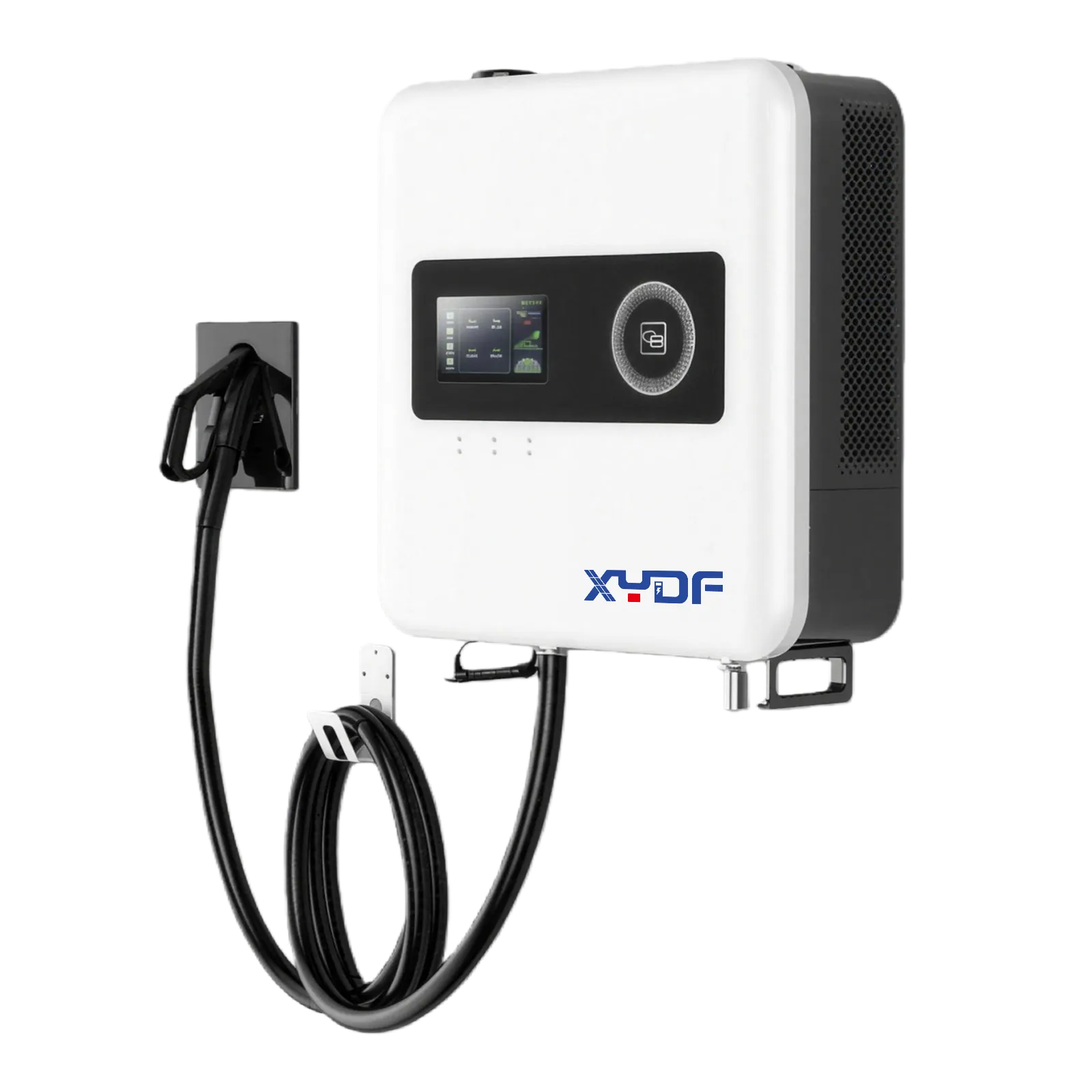
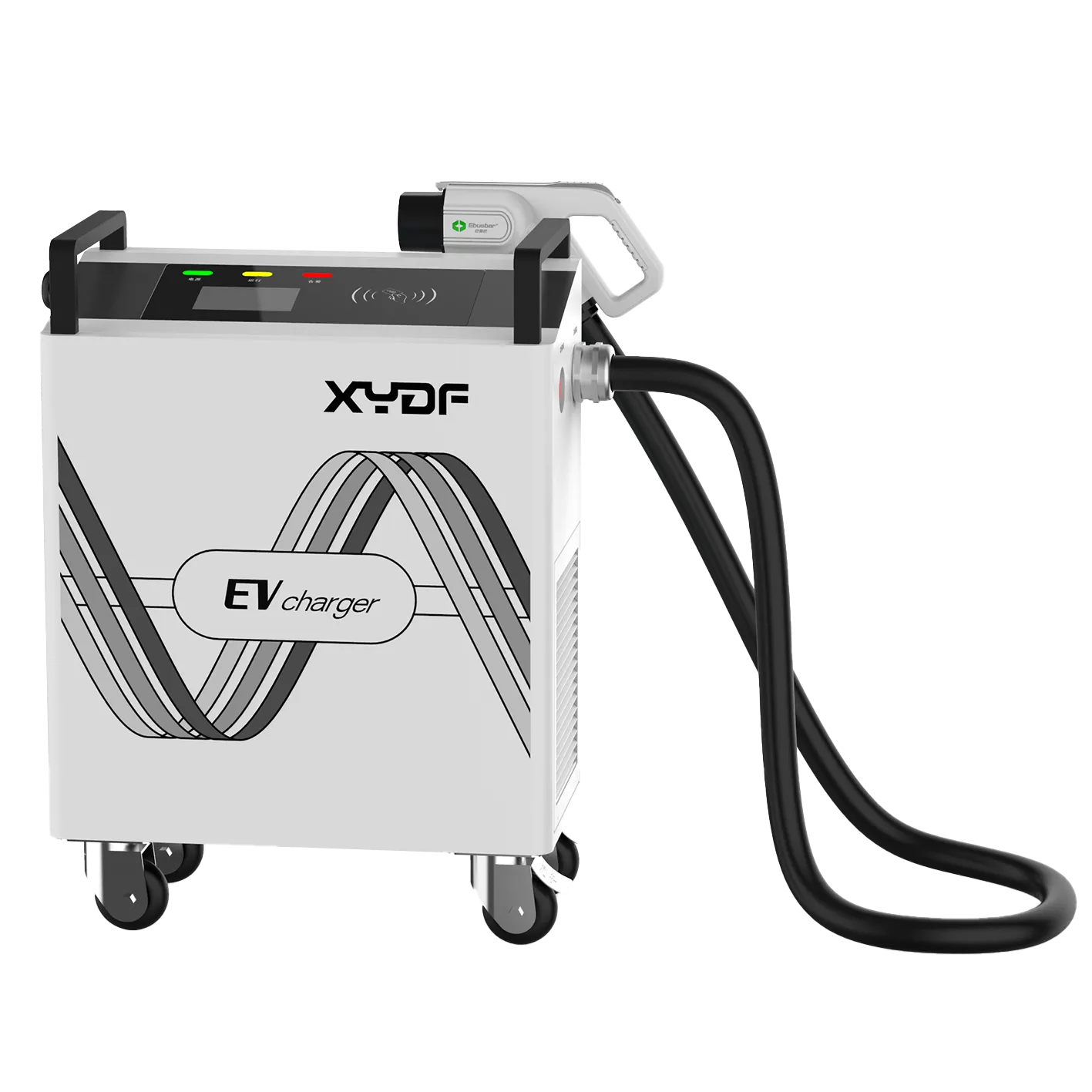
Les questions de suivi s’appliquent à la fois aux Chargeurs AC et Chargeurs rapides CC, Il est toutefois conseillé aux acheteurs de demander une documentation spécifique au modèle plutôt que de supposer que le comportement de la panne, du refroidissement, des connecteurs, de l’alimentation ou des services est identique. La discussion concernant le choix approprié comprend la fenêtre de fonctionnement prévue, le nombre de connecteurs, l’architecture réseau, les rôles d’accès et les éléments de preuve nécessaires pour l’équipe de service.
Le coût total dépend de bien plus que l’achat de matériel. Une comparaison illustratif devrait inclure l’intégration et les tests du système CSMS, la résilience des communications, la formation des opérateurs, le stockage des preuves, la couverture en matière de support à distance, la fréquence de déplacement des camions, la stratégie en matière de pièces de rechange et le coût commercial des connecteurs indisponibles. Il convient de prendre en compte les coûts spécifiques du site, tels que la main-d’œuvre, l’énergie, l’utilisation et les services, plutôt que de s’appuyer sur un pourcentage d’économies généralisé.
Ce guide s’adresse aux installations de recharge en réseau dotées d’une télémétrie documentée et d’un processus de réponse assigné. Il ne remplace pas les travaux électriques qualifiés, le manuel du fabricant, les exigences de sécurité locales ou les essais d’acceptation. Pour toute question concernant un appareil, envoyez un message XYDF l’utilisation proposée du site, l’intégration requise, les attentes en matière d’alarme et de notification, les besoins en connectivité et les exigences du processus de service.
FAQ
Qu'est-ce que la diagnostique à distance des chargeurs EV ?
Il permet de consulter à distance l’état du chargeur, la télémétrie, les informations d’erreur, l’historique des sessions et les journaux pour faciliter la triage avant ou en parallèle d’une visite sur le terrain.
Quels erreurs de l’OCPP doivent-elles être surveillées par les équipes opérationnelles ?
Monitor affiche un statut d’erreur standard avec un code détaillé spécifique au fournisseur, puis priorise les cas selon leur impact sur la sécurité et le service, plutôt que de traiter tous les codes de la même manière.
Un chargeur hors réseau est-il identique à un chargeur défectueux ?
Non. « Offline » signifie qu’il n’y a pas de communication en cours ; « faulted » indique un état d’erreur. Les deux peuvent nécessiter un suivi, mais les preuves et la réponse diffèrent.
Comment sont demandés les logs de diagnostic ?
La méthode disponible dépend de la version OCPP, de l’implémentation, des autorisations et de la documentation technique de l’équipement. Définissez-la dans la procédure d’exploitation.
Les opérateurs devraient-ils réinitialiser un chargeur défectueux à distance ?
Seules lorsque la procédure documentée le permet. Réalisez un enregistrement des données avant le redémarrage et escaladons les défaillances récurrentes ou liées à la sécurité.
Quels alarmes nécessitent une inspection sur place ?
Les problèmes persistants, récurrents, liés à la sécurité ou physiquement suspectés nécessitent le processus approuvé par le service technique et le fournisseur ; les données à distance ne peuvent pas remplacer les inspections.
Qu’est-ce qui devrait figurer dans un ticket d’escalade client ?
Incluez l’identifiant de l’unité, l’heure, les transitions entre les états, les codes standard et de fournisseurs, l’historique de la connectivité, le contexte de la session, la limite configurée, les actions effectuées et les journaux associés.
L’alarme la plus utile n’est pas celle qui est la plus bruyante ; c’est celle qui conduit à une action sûre et fondée sur des preuves.
Lors de la comparaison des équipements, demandez à XYDF de cartographier la version OCPP requise, les messages de diagnostic mis en œuvre, les preuves d’alarme, les autorisations de réinitialisation et le workflow d’escalade avec le chargeur proposé et le CSMS. Gamma de chargeurs AC ou Catégorie des chargeurs rapides DC, puis Contacter XYDF avec la fenêtre de fonctionnement du site et les exigences d’intégration.
Usine du siège social du Zhejiang :
N° 2, route de Changjiang, parc industriel du pont de Wenzhou, ville de beibaixiang, ville de Yueqing, ville de Wenzhou, province du Zhejiang
Bureau de Shenzhen :
1er étage, Bâtiment A, Parc Industriel Shenkai, Communauté Tangtou, Sous-district de Shiyan, District de Bao'an, Shenzhen
Nous utilisons des cookies pour assurer le bon fonctionnement de ce site Web et, avec votre autorisation, pour mesurer la manière dont les visiteurs utilisent notre site de recharge pour VE. Voir notre Politique de confidentialité pour plus de détails.
 Xinya Dongfang Electricity Technology Co., Ltd.